
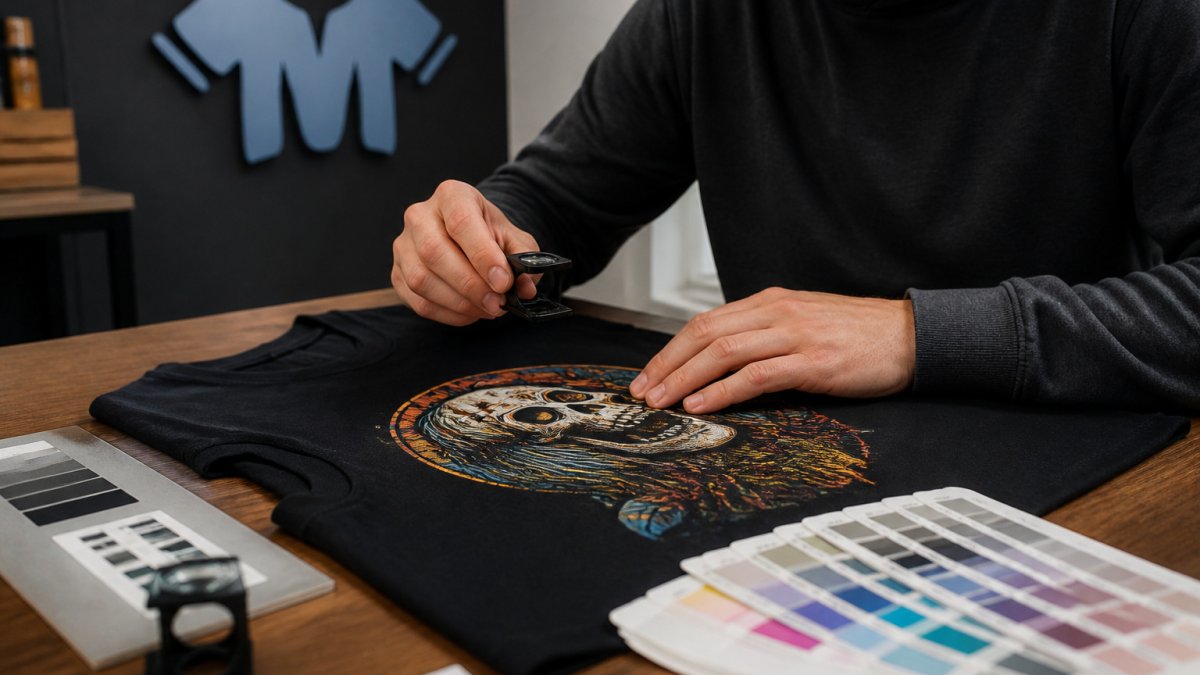
Quick Summary
To evaluate print quality for custom clothing, inspect a sample under neutral light at three distances, check that text, fine lines and colors match your approved proof, and measure placement instead of eyeballing it. Then run a wash test of 5 to 10 cycles and compare photos to the original.
- Inspect samples under neutral, diffuse light at about 60 cm, 40 cm and 15 cm.
- Measure placement with a soft tape from the collar seam and each side seam.
- Compare the printed sample to your original file side by side under the same light.
- Judge hand feel against the printing method, since plastisol, DTG and DTF each feel different.
- Run a wash test for 5 to 10 cycles and check for cracks, fading or peeling.
Table of Contents
- Why Print Quality Decides Whether a Custom Shirt Is Worth Keeping
- Custom Apparel Print Quality Checklist: The Visual Inspection
- Check Hand Feel, Edge Definition and Ink Coverage by Touch
- T-Shirt Printing Resolution 300 DPI: What It Means for Your Artwork
- Custom Clothing Artwork Specifications to Confirm Before Approval
- How to Test Screen Printing Durability With a Simple Wash Protocol
- Booking Your Next Custom Order With Confidence at McMullon Brands
- Frequently Asked Questions
Why Print Quality Decides Whether a Custom Shirt Is Worth Keeping
Last Updated: October 29, 2026
Print quality is the difference between a custom shirt you wear for years and one that ends up in the back of a drawer. A design can look sharp on screen and still disappoint once it is pressed onto cotton. Knowing how to evaluate print quality for custom clothing helps you catch problems before you pay for a full order.
Print quality is the overall condition of the printed design on the garment, covering how sharp, soft, colorful, and durable it is.
Most buyers focus on the artwork and forget the print itself. The artwork is only part of the story. The ink, the press, the curing, and the placement all shape how the shirt looks and feels in real life.
Here is what a good check covers:
- Feel: Does the print sit softly on the fabric or feel stiff?
- Sharpness: Are the edges clean, or do lines look fuzzy?
- Color: Do the colors match your artwork and stay bright?
- Placement: Is the design centered where you intended?
- Durability: Will the print survive repeated washing?
Running these checks on a sample before approving a bulk order is a sensible habit.
Custom Apparel Print Quality Checklist: The Visual Inspection
Start with your eyes, but give them a controlled setup. Inspecting under consistent conditions makes a visual check far more reliable. Most buyers judge a sample in whatever light happens to be nearby, which is why two people can look at the same shirt and disagree.
Set the inspection conditions first. Use a neutral, diffuse light source, a daylight-balanced lamp or indirect window light, and avoid warm tungsten bulbs that shift color perception. Place the garment flat on a clean, neutral surface. Inspect at three distances: arm’s length (about 60 cm), reading distance (about 40 cm), and close range (about 15 cm). Good prints hold their shape at all three.
Work through this checklist on every sample, and record a pass or fail for each line rather than a vague impression:
- Text is readable at reading distance, including lettering under 6 mm tall
- Fine lines are continuous with no breaks or thinning
- Colors match the approved proof under the same light source
- Solid areas show no pinholes, gaps, or fabric show-through
- The design is centered and level within your stated tolerance
- No ink bleeds past the edges of shapes
- No stray ink specks, ghosting, or off-contact marks outside the design
Measure placement instead of eyeballing it. A design that looks centered can be off by a centimeter. Use a soft tape measure to check the distance from the collar seam to the top of the print, and from each side seam to the nearest edge of the design. Record both numbers. Confirm the placement tolerance your printer commits to in writing before you approve a run.
Compare the printed sample to your original file side by side. Many buyers forget this step and only judge the shirt alone. A print can look fine on its own but drift far from the artwork you sent. Lay the proof and the sample under the same light and check scale, spacing, and color together.
Photograph every sample under the same light and distance, and keep the images with your notes. A photo log turns a subjective impression into a record you can compare across vendors and reorders.
If you are unsure which process will look best for your design, compare the printing methods available before you place your order. The method you choose shapes the final look more than most people expect. If you are ordering a run for a team or event, our Products Made to Order are produced to your specifications, so you can approve a sample that matches the final batch.
The article’s checks come down to a few measurable points you can record for each sample.
| Check | Standard | Note |
|---|---|---|
| Inspection distances | About 60 cm, 40 cm and 15 cm | Good prints hold shape at all three |
| Lettering legibility | Readable at reading distance | Covers lettering under 6 mm tall |
| Placement | Measured with a soft tape | Record collar-to-print and side-seam distances |
| Multi-color registration | Gap or overlap under about 1 mm | Beyond this is a setup problem |
| Wash test | 5 to 10 cycles | Compare photos to the original |
Check Hand Feel, Edge Definition and Ink Coverage by Touch
Your hands can detect problems your eyes miss, but what counts as a good result depends on the printing method. Judge the sample against the process, not against a single ideal.

Touch the print gently and pay attention to how it feels. Run your fingers across solid color blocks, edges, and fine details. Then use the method-specific expectations below.
Screen printing. Plastisol inks sit on top of the fabric and feel thicker, especially on large solid areas. A quality screen print has smooth, even coverage with crisp edges and no visible mesh pattern.
Direct-to-garment (DTG). DTG prints should feel thin and flexible, almost like part of the shirt. Because DTG lays down a white underbase on dark garments, a slightly thicker feel on dark colors is expected.
Direct-to-film (DTF). DTF transfers have a distinct, slightly plastic hand feel and a visible fine adhesive border around the design if it is not trimmed closely.
Heat transfer and vinyl. These should feel smooth and firmly bonded. Run your fingernail along an edge; if it lifts or peels, the application temperature or pressure was off.
Ink coverage. Hold the shirt up to a light source. Solid areas should look fully covered, with no thin spots.
Edge definition. Clean edges mean the press was set up correctly. Soft or fuzzy edges can signal a registration issue, a worn screen, or a rushed setup.
Do not fold a DTF or heat-transfer print sharply to test cure. Unlike screen print, these processes can delaminate under a hard crease even when properly applied. Test adhesion with a gentle rub and a corner peel instead.
Ask the printer how the ink was cured before you approve the order, and confirm the method so you apply the right test.
T-Shirt Printing Resolution 300 DPI: What It Means for Your Artwork
Resolution affects how sharp your artwork looks on the finished shirt. Many printers ask for 300 DPI, which means 300 dots per inch at the size the design will print.
DPI stands for dots per inch, a measure of how much detail a digital file holds at a given print size. A low-resolution file looks blurry or pixelated when enlarged.
Here is how to think about it:
- 300 DPI at final size: Best for photos, gradients, and fine detail
- Vector files: Scale to any size without losing sharpness, ideal for logos and text
- Low-resolution images: Often look soft, jagged, or grainy once printed
If your design is a raster image, such as a photo or a painted illustration, check the resolution at the exact size you plan to print it. Enlarging a small image in a design app does not add detail. It only stretches the pixels.
Vector artwork is usually the safest choice for text and simple shapes. Many printers prefer vector files for logos because the edges stay clean at any size.
Custom Clothing Artwork Specifications to Confirm Before Approval
Clear artwork specs prevent most print problems before they start. Confirm these details with your printer before you approve a proof.
Use this list as a starting point:
- File type: Vector (AI, EPS, PDF) or high-resolution PNG or TIFF
- Resolution: Usually 300 DPI at final print size
- Color mode: Ask whether the printer needs CMYK, Pantone references, or a specific color profile
- Print area: Confirm the maximum printable size for the garment
- Placement: Note the exact position, such as a 3-inch-from-collar chest print
- Background: Confirm whether the design should print with a transparent or white background
Ask for a digital proof before the print run. A proof shows how your artwork will look on the garment, and it gives you a chance to catch spelling errors, wrong colors, or misaligned elements.
Approve the proof only after you have checked size, color, and placement against your original plan. Once production starts, changes often cost extra or are not possible.
How to Test Screen Printing Durability With a Simple Wash Protocol
A wash test is the best way to check how a print will hold up over time. You do not need special equipment. You only need a sample shirt, a washing machine, and a notebook.
Here is a simple protocol:
- Photograph the sample before washing, under the same light each time.
- Wash inside out in cold water on a gentle cycle, using a mild detergent.
- Air dry flat or hang the shirt, avoiding the dryer for this test.
- Repeat for 5 to 10 cycles, which is enough to reveal most early problems.
- Compare each photo to the original and note any cracking, fading, or peeling.
Look for these warning signs:
- Cracks in the ink, especially along folds
- Fading that makes colors look washed out
- Peeling or flaking at the edges
- Stiffness that grows after each wash
A print that passes this test should look nearly the same after 10 cycles. Some slight softening is normal, but large changes point to a weak cure or the wrong ink.
Keep your notes. If you order again from the same printer, your results give you a clear benchmark to compare future prints against.
Booking Your Next Custom Order With Confidence at McMullon Brands
You now have a practical checklist for judging print quality. Use it on every sample, and do not skip the wash test if you plan to wear the shirt often.
When you are ready to order, McMullon Brands makes custom graphic apparel, and our products are made to order. Pricing depends on quantity, dates, and delivery, so check our website for current prices or request a quote before you commit. Free Shipping applies to all orders, which keeps the total cost easy to plan.
Reach out with questions about artwork specifications, placement, and proofs before you approve a bulk order.
Frequently Asked Questions
How do you determine print quality on custom clothing?
Start with a physical sample rather than a mockup. Check edge sharpness under good light, look for even ink coverage without pinholes, and confirm that colours match your approved proof. Then assess hand feel: a quality print should feel flexible and not stiff or rubbery. Score each factor on a simple pass or fail basis so you can compare suppliers consistently before approving a bulk order.
Is 300 DPI good for T-shirt printing?
Yes, 300 DPI at the final print size is the widely used standard for crisp detail on T-shirt artwork. Lower resolution often produces soft edges or visible pixelation once printed. Check that your file is 300 DPI at the actual print dimensions, not just at a small preview size, and ask your supplier what resolution they require before you upload.
How do you test whether a clothing print will last after washing?
Wash the sample inside out in cold water on a gentle cycle, using a mild detergent, then air dry it. Repeat for several cycles and inspect for cracking, peeling, fading or dulling. Compare the result with the untouched sample. A print that holds its colour and edges after repeated washes is a stronger indicator of durability than a fresh-from-the-press look.
What should you check in artwork before printing it on clothing?
Confirm the file format, resolution, colour mode and print dimensions, and make sure the design sits inside the printable area. Remove tiny details that may disappear at small sizes, and check that thin lines are thick enough to print cleanly. Ask for a digital proof and approve it before production so the final garment matches what you expect.

Leave a Reply